
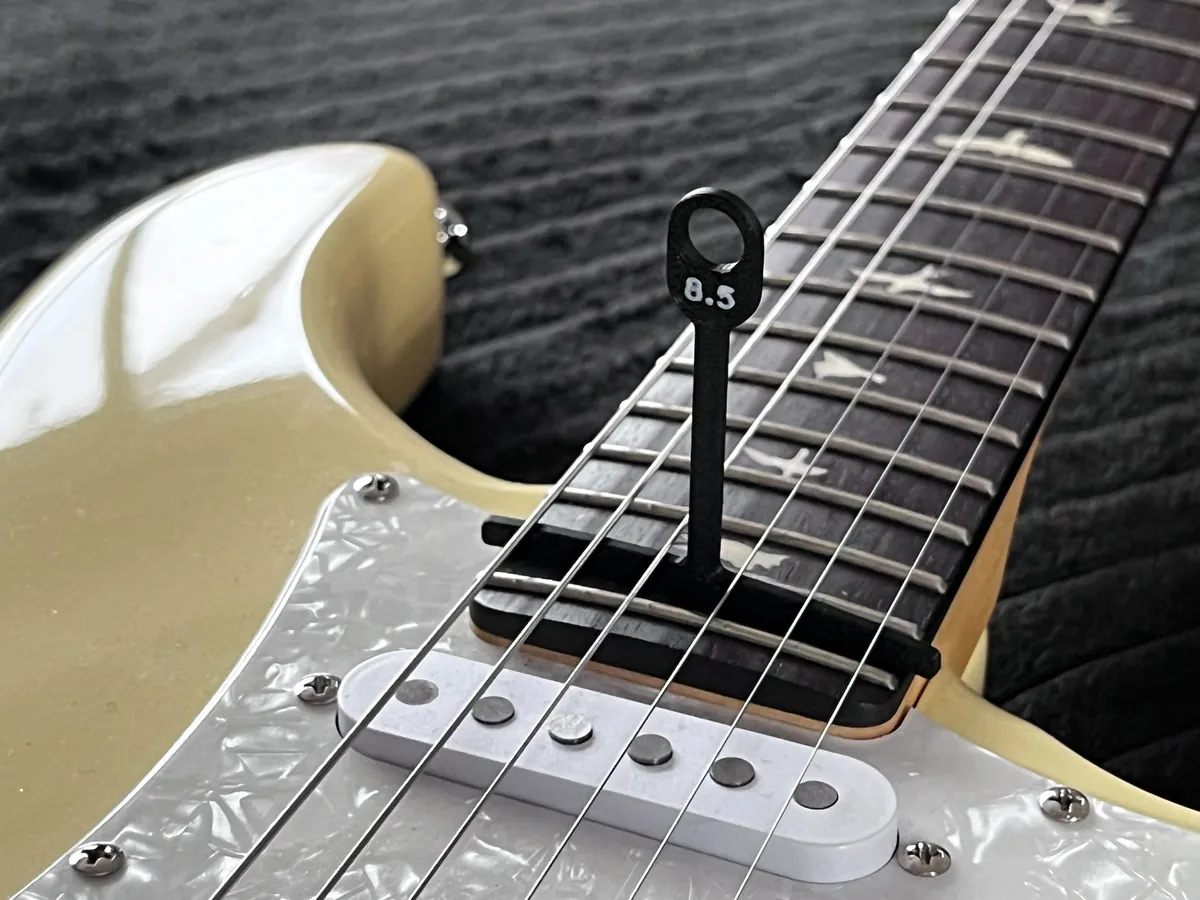
About the radius gauges
Fretboards are slightly curved across their width, and that curve (the radius) varies between instruments. These gauges slip under the strings so you can find which radius your guitar has without taking the strings off, and then set the string heights to follow the curve.
The set covers nine radii from 7.25" to 20", which the designer says covers a large section of instruments, and he offers to add others on request. Each gauge has a small chamfer at the base to remove first-layer squish, so it's ready to use straight off the bed. There's also a newer dual-colour version for multi-colour printers.
Accuracy depends on your printer, so make sure it's well calibrated. The set was featured on the Prusa blog.
Who it's for. Players and builders doing their own setups. We haven't printed them ourselves; this summarises the designer's notes.
What you'll need
Printed parts
- The gauges you need (single files or the full set)
Bought parts
- None listed
Tools
- A calibrated printer with good first-layer adhesion
Build overview
Our own outline of the designer's notes on Printables.
- Print the set. Print the radii you need; a 0.4 mm nozzle is fine.
- Check the radius. Slide gauges under the strings until one sits evenly across them.
- Set the action. Adjust the string heights so they follow that radius.
Print settings
- Nozzle: 0.4 mm
- First layer: Good adhesion; the chamfer handles squish
- Material: Not stated