
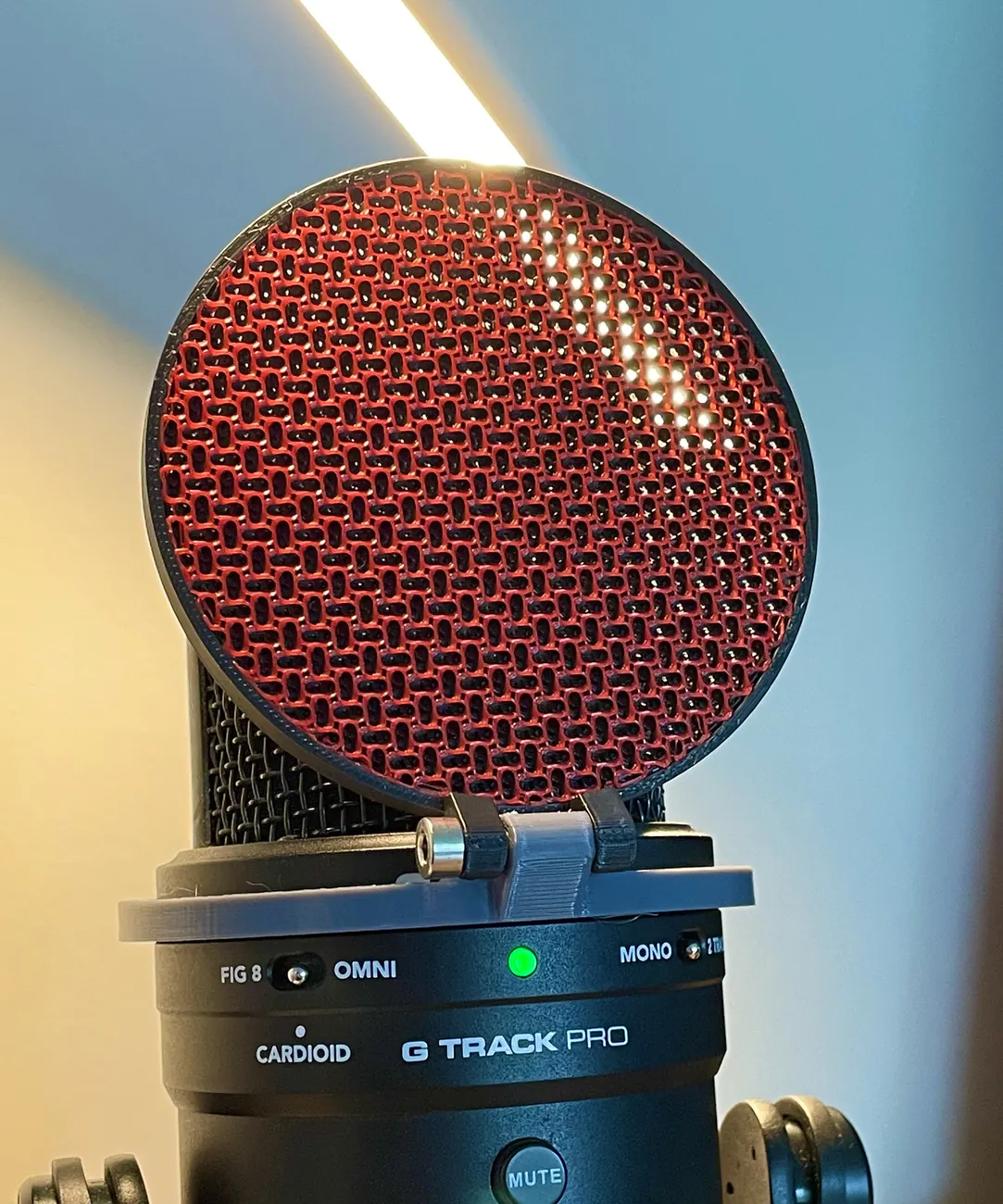
About the Printable Pop Filter
Instead of fabric or metal mesh, this pop filter uses the 3D printer's infill. You import the frame and the filter disc together and slice the disc with no walls and no top or bottom layers, so all that prints is the gyroid infill pattern. The designer says it works as well as a cloth filter.
You tune it in the slicer: 25% gyroid for light filtering, more for heavy filtering if you sing or speak close to the mic. You can also scale the disc in Z to make it thicker. The designer's examples are 5 mm thick at 0.15 mm layers and 2 mm thick at 0.25 mm layers, both at 25% gyroid. In Bambu Studio or Orca Slicer you can make it two-tone with the fill tool.
The mount it sits in is for the Samson G-Track Pro and is a separate design; for other mics you'd remix your own mount, but the filter disc works with any.
Who it's for. Singers, podcasters and home-studio users who want a compact pop filter. We haven't printed one ourselves; this summarises the designer's notes.
What you'll need
Printed parts
- The frame
- The infill disc (sliced with no walls or top/bottom layers)
- A mount for your mic (the Samson G-Track Pro one is a separate design)
Bought parts
- None listed
Tools
- A slicer that lets you set per-part settings
Build overview
Our own outline of the designer's notes on Printables.
- Load both parts. Import the frame and the infill disc together so they line up.
- Set the disc to infill only. No walls, no top and no bottom layers; choose gyroid infill.
- Choose the strength. 25% for light filtering, more (or a thicker disc) for heavier filtering.
- Mount it. Use the Samson G-Track Pro mount, or remix one for your mic.
Print settings
- Infill: Gyroid, 25% or more
- Disc: No walls, no top/bottom layers
- Layers: 0.15 mm (5 mm disc) or 0.25 mm (2 mm disc) in the designer's examples
- Material: Not stated