
About the Octo Tune flute
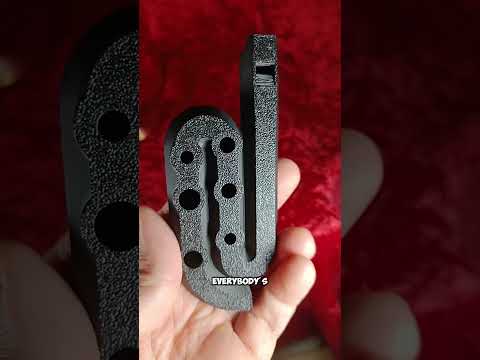
The Octo Tune is a small, curved flute from Tele Tunes, who designs printable flutes. The bore twists back on itself, which keeps the instrument compact and sturdy. It prints flat on the bed with the finger holes facing down, so there are no supports to clean out. This model is tuned to F# major. It's one of the most popular instruments on MakerWorld, with tens of thousands of downloads and prints.
Playing it. The designer says it plays much like a Native American flute or a penny whistle. You open the holes one at a time from the end of the flute upwards to play the scale. Because the bore twists, the top three holes are on the other side of the body.
Who it's for. It's a great first printed instrument: quick, cheap and forgiving to print, with nothing to assemble. It suits beginners, kids (with supervision) and anyone who wants a pocket whistle.
A note on results. The designer is honest that printed wind instruments vary. Small imperfections can change the sound, and even the same printer and filament can give different results from print to print. We haven't printed one ourselves, so treat this page as a summary of the designer's page, not a review.
The licence is MakerWorld's Standard Digital File License, not Creative Commons, so we don't show the designer's photos here. See them on the MakerWorld page.
What you'll need
Printed parts
- The flute, printed in one piece
Bought parts
- Nothing else; it's a single print
Tools
- A 3D printer with a 0.4 mm nozzle
- Fine sandpaper, for finishing the wind channel (optional)
Build overview
Our own outline. Printer profiles and the full notes are on the MakerWorld page.
- Print it flat. Holes face the build plate and no supports are needed. Use dry, calibrated filament on a well-levelled bed.
- Clean the wind channel. Make sure the wind channel and sound hole are free of strings and debris, since they shape the sound.
- Sand if needed. Lightly sanding the wind channel can give a clearer tone and easier overblowing, but it can also shift the tuning, so go slowly.
- Play. Open the holes one by one from the end upwards to play the major scale.
Print settings
- Nozzle and layer height: 0.4 mm nozzle, 0.2 mm layers
- Walls and infill: 2 walls, 15% infill in the default profile
- Supports: None; print flat with the finger holes down
- Profile tip: The designer uses Bambu's 0.2 mm standard profile. The 0.2 mm strength profile did not give a working instrument
- Material: PLA in the default profile; a PETG profile is also offered
Video
 Play video: New flutes! (loads YouTube)
The videos don't load from YouTube until you press play. Video thumbnails are © their creators.
Photos
No photos here: the licence isn't Creative Commons. You'll find the designer's pictures on the MakerWorld page.