
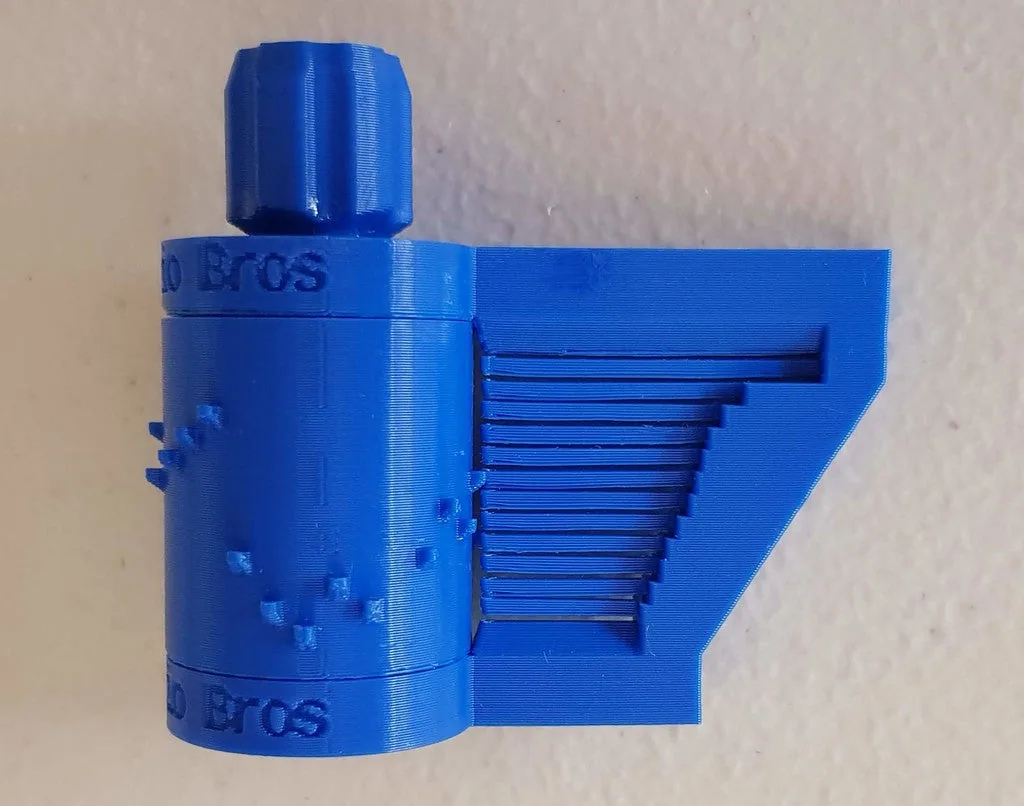
About the Print-in-Place Music Box
A cylinder music box printed in one go: the drum, the comb and the gears all come off the bed together. After printing you free the gears by turning the knob (clockwise, because of the herringbone gears), split the two ring gears apart with a razor and gently free the comb's teeth. Turn the knob and the pins on the cylinder pluck the teeth. The note calculations come from an earlier parametric music box.
The designer is refreshingly frank. It's a gimmick and a nice toy rather than a real music box. PLA doesn't 'plink' well, and its teeth fatigue and break after a few hours of plucking. That's why ABS or something tougher is recommended, and why a lower-octave version with longer, less stressed teeth was added. A version with a one-layer gap between teeth needs no supports but the teeth rub. The three-layer-gap version sounds better and needs a little support under the tooth tips. It's sensitive to bed levelling and over-extrusion, so calibrate first. That may explain its low rating on Printables.
A newer attempt. In 2023 the designer posted a Print in Place Music Box mk2 that swaps the printed comb, whose fatigue was the original's flaw, for bent piano wire. He calls it an experiment: he could only get 0.5 mm wire (about 1 mm would suit better), says the sound is still pretty poor, and it needs a resonating chamber that isn't included. No makes are posted yet, so we still list this original; the mk2 is linked below.
Who it's for. Fans of print-in-place mechanisms and OpenSCAD tinkerers. The two videos, by the designer, show it running and a wind-powered variant.
What you'll need
Printed parts
- The music box (one print-in-place piece); 1-layer-gap, 3-layer-gap or low-octave version
Bought parts
- Nothing
Tools
- A 5/16 in socket for leverage on the knob
- A straight razor blade
- A sliver of aluminium can as a scraper
- A tolerance gauge print to dial in your printer
Build overview
- Print it. 0.2 mm layers; check in the slicer preview that the one-layer gaps survive.
- Free the gears. Turn the knob clockwise with small, controlled movements until it breaks free.
- Split the rings. Wedge a razor between the two ring gears until you hear a crack all round.
- Free the teeth. Ease any stuck comb teeth loose with the razor or a strip of can.
Print settings
- Material: ABS or similar; PLA teeth fatigue in hours
- Layer height: 0.2 mm
- Supports: None for the 1-layer-gap version; tooth tips only for the 3-layer version (use support blockers)
- Calibration: Sensitive to bed level and over-extrusion
Videos
 Play video: Musical windmill (print-in-place) (loads YouTube)
 Play video: Print in Place Music Box (loads YouTube)
Nothing loads from YouTube until you press play. Video thumbnails are © their creators.