
About the CLUE Metronome
This turns an Adafruit CLUE (a small board with a colour screen, buttons, touch pads and a speaker) into a metronome. You copy the CircuitPython code and libraries onto the board, and it clicks out the beat and shows the tempo on screen.
You set it with the board's own controls: button B starts and stops it, button A switches between 4/4 and 3/4, touch pad 0 switches between steps of 1 and 10 BPM, and touch pads 1 and 2 slow it down or speed it up. The code starts at 120 BPM and allows 40 to 330.
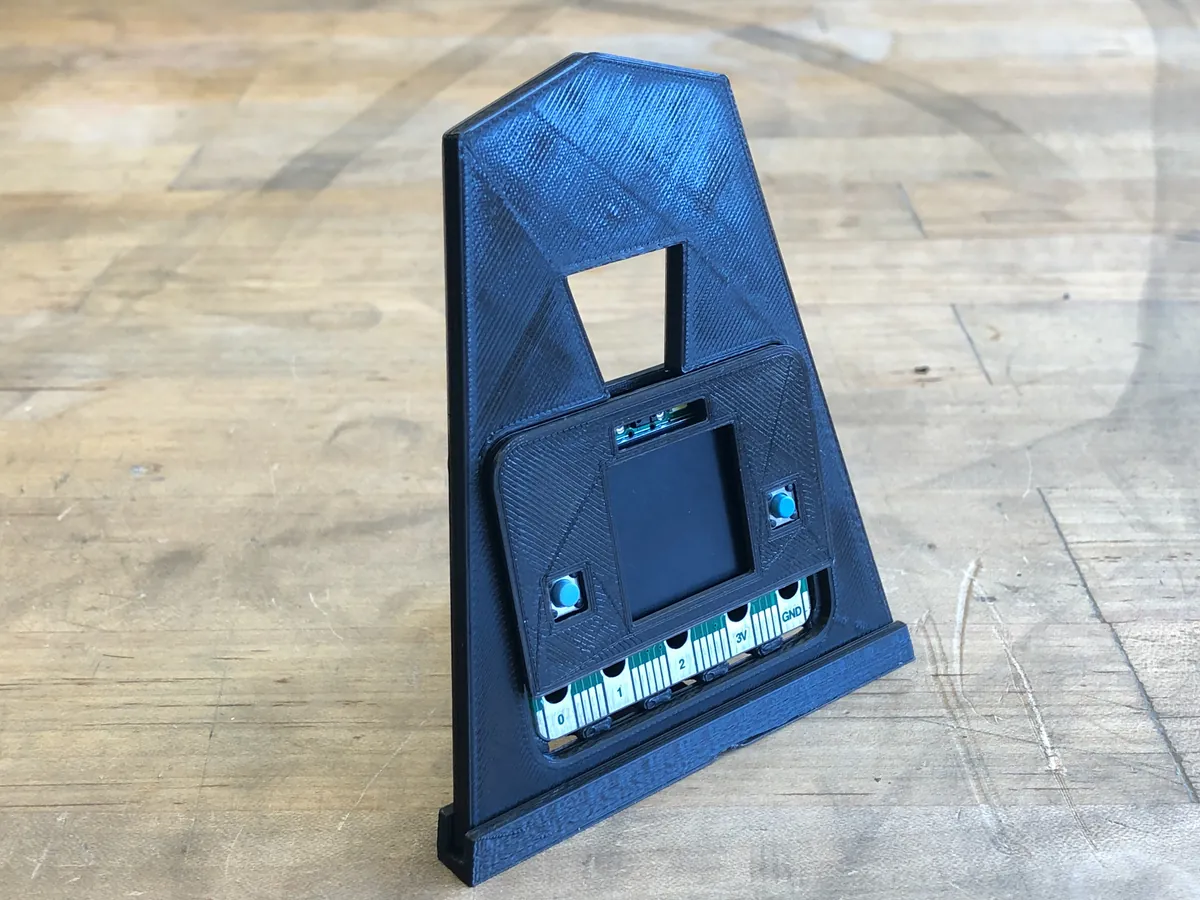
As a bonus, Adafruit designed a classic pyramid-shaped metronome stand to hold the CLUE. It prints in PLA at 0.2 mm with no supports. The CLUE snaps into a case back and front cover, which push into the stand.
Licences. The stand files on Thingiverse are CC BY 4.0, and the code file carries an MIT licence header. Who it's for. Anyone who wants a simple, working DIY metronome without soldering. We haven't built one ourselves; this is a summary of Adafruit's guide.
What you'll need
Materials
- PLA filament for the stand (optional)
Bought parts
- An Adafruit CLUE board
- A USB data cable
- Optional: 3 small rubber bumper feet
Tools
- A computer to copy the code
- A 3D printer for the stand (optional)
- Optional: CA glue for a firmer fit
Build overview
Our own outline. The full guide, code and library list are on Adafruit Learn.
- Install CircuitPython. Put the latest CircuitPython for CLUE on the board.
- Add the libraries. Copy the libraries listed in the guide into the board's lib folder.
- Copy the code. Save the metronome code to the board as code.py.
- Print the stand. Print the stand parts in PLA at 0.2 mm, no supports. The bottom cover isn't needed.
- Assemble. Put the CLUE in the case back, snap on the front cover, push it into the stand face, and add rubber feet to the base.
Print settings
- Material: PLA
- Layers: 0.2 mm
- Supports: None
Video
 Play video: Demo (loads YouTube)
Nothing loads from YouTube until you press play. Video thumbnails are © their creators.