
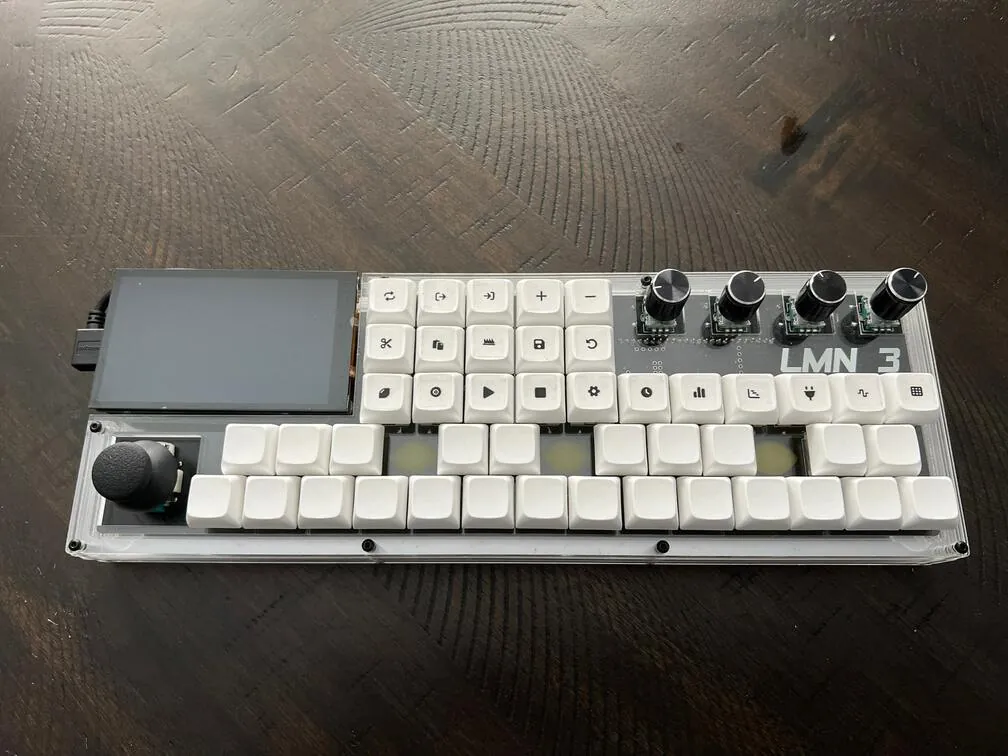
About the LMN-3
The LMN-3 is a small, self-contained music workstation: a box of mechanical keyboard keys, knobs and a screen that runs its own DAW (built on the Tracktion engine) with synths and sequencing. Fundamental Frequency (Stone Preston) published everything on GitHub: the circuit board, the case, the firmware for the Teensy that reads the keys, and the DAW that runs on the Raspberry Pi.
The build guide has the full parts list and a photo walkthrough: flashing the Teensy firmware from a Linux computer, soldering the diodes, key switches, encoders, joystick and Teensy, and stacking the layered case. You order the board from the published Gerber files at any PCB maker. The case is acrylic layers you can laser-cut yourself or send to an online cutting service; keycap icons print on sticker paper.
The repos haven't changed since 2023, so treat it as a finished, stable design rather than an active project.
Who it's for. Makers comfortable with soldering and the Linux command line who want a portable, hackable music box. This page summarises the build guide; we haven't built one ourselves.
What you'll need
Materials
- 4 acrylic sheets (12 × 16 × 1/8"), if you laser-cut the case yourself
Bought parts
- A Raspberry Pi 4 (4 GB) and a 15 W USB-C power supply
- A Teensy 4.1
- A Pimoroni HyperPixel 4 screen
- 45 five-pin mechanical key switches and keycaps
- 49 × 1N4148 diodes
- 4 × EC11 rotary encoders and a joystick
- The LMN-3 circuit board, ordered from the published Gerbers
- Header strips, a micro-USB cable, M2.5 bolts and nuts, rubber feet
- Clear sticker paper for the keycap icons
Tools
- A soldering iron
- A Debian-style Linux computer with VS Code and PlatformIO
- A laser cutter or an online cutting service
- A laser printer for the icons
Build overview
Our own outline of the build guide.
- Order the board and case. Send the Gerbers from LMN-3-ECAD to a PCB maker, and the case files from LMN-3-MCAD to a laser-cutting service (or cut them yourself).
- Flash the Teensy. Build and upload the firmware with PlatformIO in VS Code, adding the udev rule on Linux.
- Solder. Fit the diodes and Teensy, then the key switches (seated through the acrylic switch layer), encoders and joystick, checking as you go.
- Add the keycaps and build the case. Print the icon stickers, fit the keycaps, and stack the acrylic layers with the bolts.
- Set up the Pi. Set up the Pi with the LMN-3 DAW and configure the HyperPixel screen, following the guide.
Video
 Play video: Overview (loads YouTube)
Nothing loads from YouTube until you press play. Video thumbnails are © their creators.