
About the Arduino Guitar Tuner
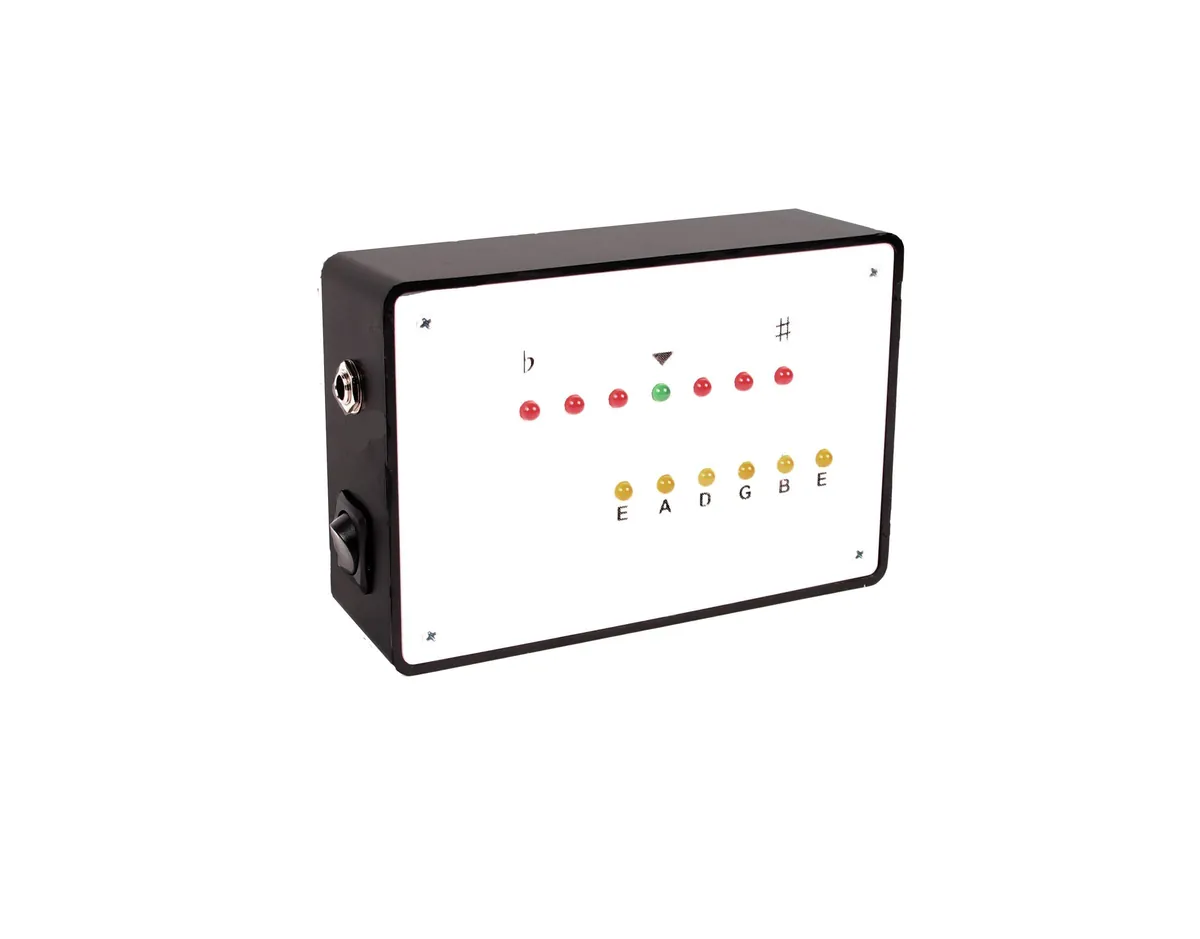
Plug an electric guitar into this box and play a string: one of six LEDs shows which string you're tuning (E, A, D, G, B, E), and a row of seven LEDs shows whether it's flat, sharp or in tune, with a green LED in the middle for spot on.
Inside, a TL082 op-amp boosts the guitar signal and shifts it to sit between 0 and 5 V so the Arduino Uno can read it. The code then measures the frequency using Amanda Ghassaei's Arduino Frequency Detection method, which the author credits. The author laser-cut a white acrylic front panel and shares the artwork (CorelDRAW and EPS); without a laser cutter, the guide says you can drill the box's own lid instead.
The guide dates from 2013 and its parts list gives old RadioShack part numbers, but the parts are common and easy to find elsewhere. The author suggests testing the amplifier on a breadboard with an oscilloscope before soldering.
Who it's for. Guitarists who want a first Arduino project with a real use, and makers curious about reading audio with a microcontroller. This page summarises the author's guide; we haven't built one ourselves.
What you'll need
Materials
- A 6 × 4 × 2" project box
- White acrylic sheet for the front (optional; or drill the box lid)
Bought parts
- Arduino Uno
- TL082 dual op-amp
- 6 yellow LEDs, 6 red LEDs and 1 green LED, with 13 × 150 Ω resistors
- 3 × 100 kΩ and 1 × 22 kΩ resistors
- 10 µF and 100 nF capacitors
- 2 × 9 V batteries with snap connectors
- An SPST rocker switch and a 1/4" mono jack
- A power plug for the Arduino
- Two pieces of circuit board (one for the op-amp, one for the LEDs)
Tools
- A soldering iron
- A drill with 1/8", 23/64" and 13/64" bits and a 13/16" spade bit
- An oscilloscope, which the author recommends for testing the amplifier
- Optional: a laser cutter for the front panel
Build overview
Our own outline of the author's 16 steps. The schematic, code and photos are on Instructables.
- Drill the box. Make holes for the on/off switch and the guitar jack.
- Wire the power. Fit the switch and battery snaps, the jack, and a plug to power the Arduino.
- Build the amplifier. Solder the TL082 and the resistors and capacitors that boost and offset the guitar signal, following the schematic. Test it first if you can.
- Load the code. Upload the author's sketch, which detects the frequency and drives the LEDs.
- Make the front panel. Laser-cut it from the shared artwork, or drill 13 LED holes in the lid and label them.
- Add the LEDs. Solder the LEDs and resistors to a board that lines up with the holes, then wire each one to its Arduino pin from the author's list.
- Close it up and tune. Screw on the front, plug in your guitar and tune.
Video
 Play video: The tuner in use (loads YouTube)
Nothing loads from YouTube until you press play. Video thumbnails are © their creators.